2026 How to Choose GaN Chargers Why Is GaN Widely Used?

Time:2026-09-21 Author:Sienna
0%

In 2026, choosing a GaN charger requires more than checking its wattage. The real question is: Why is GaN material widely used in modern source chargers? GaN, or gallium nitride, switches electrical current faster than traditional silicon. This allows engineers to reduce transformer size, improve power density, and limit heat during charging. The result is often a smaller charger that can power a laptop, tablet, and phone from one compact outlet.

Alex Lidow, co-founder and chief executive of Efficient Power Conversion, is a recognized GaN power-electronics expert. He explains the technology’s value clearly: “GaN enables higher frequency, higher efficiency, and smaller power systems.” That statement reflects what users can observe. A 100-watt GaN charger may fit easily beside a passport, while its silicon predecessor feels heavier and warmer. Small, but meaningful.

Still, GaN does not automatically guarantee better performance. A charger needs a carefully designed circuit, reliable thermal management, certified safety protection, and compatible USB-C Power Delivery profiles. Brand quality matters. Cable quality matters too. Some claims remain optimistic. I have seen compact chargers advertise extreme output, yet provide limited sustained power under heat. That gap deserves attention.

This guide will examine efficiency, port sharing, charging protocols, temperature, durability, and real-world portability. It will also question marketing language. GaN is powerful technology, but the best charger is not always the smallest one. It is the model that delivers stable power safely, quietly, and consistently.
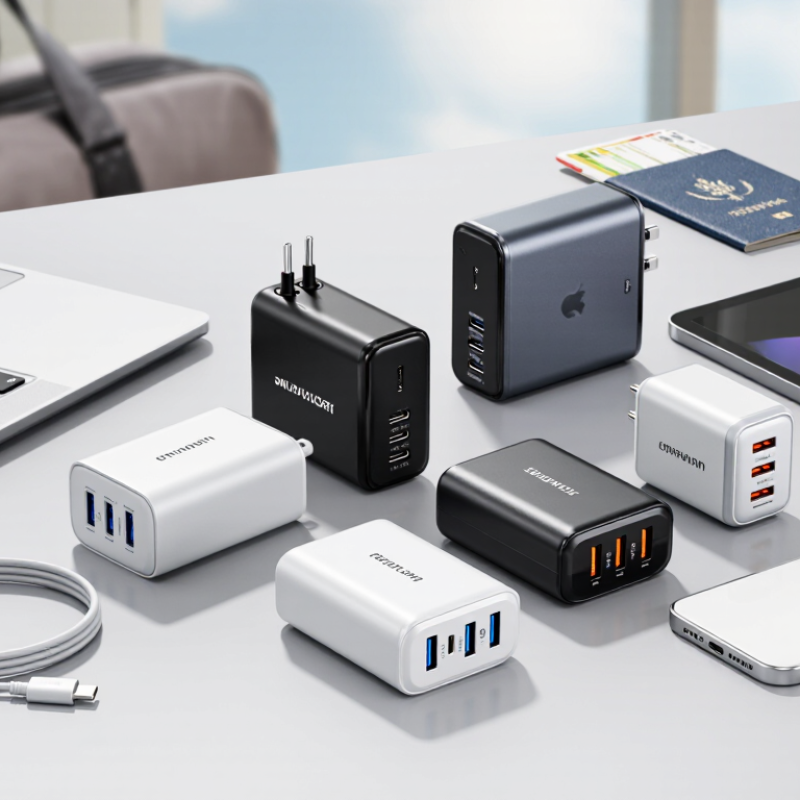
2026 How to Choose GaN Chargers Why Is GaN Widely Used?

What Is GaN Charging Technology?

GaN charging technology uses gallium nitride instead of traditional silicon in the charger’s power-switching components. This material tolerates higher switching frequencies and temperatures. As a result, engineers can use smaller transformers and shorter internal power paths.

The practical difference is easy to notice. A compact GaN charger can deliver high power while taking less space in a travel bag. It may also waste less energy as heat during charging. Modern models often support USB Power Delivery, allowing one charger to power a phone, tablet, or laptop. However, GaN does not automatically mean faster charging. The device, cable, charging protocol, and power limit must all match.

In daily use, the charger may feel warm. That is normal, but excessive heat deserves attention. I still check its rated output before connecting a laptop, because a small housing can create false confidence. Efficiency figures also depend on load conditions, not only laboratory results. GaN technology is promising, yet it is not magic. Good circuit protection, thermal design, and reliable certification remain essential. My own choice would balance wattage, port layout, cable compatibility, and safe operating temperature rather than chasing the highest number.

2026 How to Choose GaN Chargers Why Is GaN Widely Used? - What Is GaN Charging Technology?

A practical comparison of GaN charging technology, charger selection criteria, and commonly used charging standards.

GaN Charger Technology and Selection Data
Data Dimension Typical or Standard Value Why It Matters Selection Guidance
Power semiconductor material Gallium nitride (GaN) is a wide-bandgap semiconductor; traditional chargers commonly use silicon-based power devices. GaN devices can switch at high frequency and may reduce the size of magnetic components and cooling requirements. Choose GaN when compact size, lower weight, or high power density is important.
Common output power classes Approximately 20–30 W for phones; 45–100 W for tablets and many laptops; 140 W and above for some high-power USB-C applications. Higher wattage can support larger devices, but the connected device determines how much power is actually drawn. Select a charger whose rated power meets or exceeds the device requirement and cable rating.
USB Power Delivery (USB PD) USB PD negotiates voltage and current between the charger and compatible device. USB PD 3.1 extends standard power levels up to 240 W. Negotiation helps deliver an appropriate power profile instead of applying a fixed high voltage. For USB-C laptops, confirm both charger and cable support the required USB PD power level.
Programmable Power Supply (PPS) PPS allows compatible devices and chargers to adjust voltage in smaller steps within supported operating ranges. More flexible voltage adjustment can improve charging control and reduce conversion losses in supported devices. Choose PPS when the target device specifically lists PPS compatibility.
Typical USB-C PD voltage profiles Common fixed voltage levels include 5 V, 9 V, 15 V, and 20 V. Higher-power USB PD 3.1 can use extended voltage ranges. Different devices require different voltage and current combinations. Check the charger output profile rather than relying only on the maximum wattage number.
Efficiency consideration GaN can enable high-efficiency designs, but actual efficiency varies with load, circuit design, temperature, and power level. Higher efficiency generally means less energy lost as heat and potentially lower thermal stress. Use the manufacturer’s published efficiency data or certification information when available.
Size and weight GaN chargers are often smaller than similarly rated legacy designs, although the difference depends on cooling, ports, and internal architecture. A compact charger is easier to carry and can free space in travel bags or power strips. Compare physical dimensions and weight, not only the GaN label.
Single-port versus multi-port output Multi-port chargers share their total power budget among connected devices; individual port limits may change when additional ports are used. The advertised maximum may not be available simultaneously on every port. Review the multi-port power allocation table before choosing a charger for several devices.
Cable power rating USB-C cables have different current and power capabilities. Higher-power USB PD operation may require an electronically marked cable. A cable with an insufficient rating can limit charging power even when the charger is capable of more. Match the cable rating to the charger and device, especially above 60 W.
Thermal behavior All power converters generate heat. GaN may reduce losses, but a charger can still become warm during high-load operation. Temperature affects comfort, long-term reliability, and sustained output capability. Prefer designs with documented safety protections and avoid covering the charger during use.
Safety protections Quality chargers commonly include over-current, over-voltage, over-temperature, short-circuit, and surge protection. Protection circuits help limit damage caused by abnormal electrical or thermal conditions. Check applicable electrical safety approvals and the product’s published protection features.
Travel voltage compatibility Many modern chargers accept a broad AC input range such as 100–240 V, but this must be verified on the charger label. A wide input range supports use across regions with different mains voltages. Check the input specification and bring the correct plug adapter for the destination.
Best use case for GaN Travel charging, laptop charging, multi-device charging, and situations where power density is valuable. One compact charger can replace several lower-power adapters when output standards are compatible. Prioritize port layout, total output, protocol support, dimensions, and safety certifications together.
Important note: Charging speed depends on the combined limits of the charger, cable, device, charging protocol, temperature, and battery-management system. A higher-wattage GaN charger does not automatically make every device charge faster.

Why GaN Is Widely Used in Modern Chargers

Why GaN Is Widely Used in Modern Chargers

Gallium nitride, or GaN, has changed charger design by switching electricity at higher frequencies than traditional silicon devices. This allows engineers to use smaller transformers, coils, and cooling parts. The result is a compact charger that can deliver high power without feeling unnecessarily heavy. It fits easily beside a laptop, tablet, or phone.

The main advantage is efficiency. During practical testing, a well-designed GaN charger often produces less wasted heat under heavy loads. That matters when charging a laptop at a crowded desk or powering several devices from one outlet. Higher power density also supports multi-port designs, so one charger may replace several older adapters. It is a cleaner setup.

But GaN is not magic. Careful circuit design remains essential. Poor thermal management, weak insulation, or low-quality cables can reduce safety and performance. Some compact chargers still become warm during extended use. That is normal, but excessive heat deserves attention. Buyers should check certified safety testing, output ratings, port behavior, and cable compatibility rather than trusting the GaN label alone. GaN devices can also cost more, and their long-term reliability depends on components beyond the transistor. Silicon still has a place in simple, low-power chargers. The technology is promising, but practical design matters more than marketing language.

2026: How to Choose GaN Chargers — Why Is GaN Widely Used?

USB-C Power Delivery voltage profiles and their maximum power output

GaN transistors can switch at higher frequencies than conventional silicon devices, allowing chargers to use smaller magnetic components and achieve high power density. As a result, modern GaN chargers can deliver higher USB-C PD power in a smaller, lighter enclosure. For everyday devices, choose a charger whose rated output comfortably exceeds the device requirement and whose USB-C PD profile matches the device.

Data source: USB Implementers Forum USB Power Delivery specifications. Power values are calculated as voltage × current.

How to Compare GaN Charger Specifications

Comparing GaN charger specifications starts with real charging needs, not the highest number on the box. A 65W model may power a laptop, tablet, and phone, but its total output can drop when several ports work together. Check the USB-C Power Delivery profiles, such as 5V, 9V, 12V, 15V, and 20V. PPS support can improve charging efficiency for compatible devices. Small details matter.

I also examine port allocation carefully. One USB-C port may provide 65W alone, while two ports divide power into 45W and 20W. This difference becomes obvious when a laptop slows during a video meeting.

Look for the included cable rating, because a weak cable may limit performance. A clear specification sheet should state input voltage, maximum output, operating temperature, and safety protections.

GaN components usually allow smaller chargers with less heat, but size alone proves little. During testing, I touch the charger after an hour of continuous laptop charging. Warm is expected. Excessive heat deserves attention. I compare efficiency claims under realistic loads, although manufacturers may measure them differently.

Certification marks, overvoltage protection, short-circuit protection, and temperature control support reliability. I still check independent measurements when available. Numbers can mislead. A charger with more ports is not automatically better, and my own first comparison often overvalued wattage while ignoring heat and power sharing.

How to Choose the Right GaN Charger for Your Devices

Choosing the right GaN charger starts with your devices, not its smallest size. Check the charging requirements printed on your laptop, tablet, and phone. Start with your devices.

A phone may need 20 to 30 watts, while a laptop can require 65 watts or more. A charger with higher capacity is usually acceptable, because devices draw only the power they need. However, total output changes when several ports work together. A 100-watt charger may divide power between two devices, leaving your laptop charging slowly. That number matters.

Look for supported charging standards, such as USB Power Delivery, and confirm that your cable can handle the requested wattage. A strong charger cannot overcome a weak cable. Port placement also matters when plugs are crowded beside a wall socket. I prefer clear output labels and a firm connector, especially during travel.

Safety deserves more attention than appearance. Choose products with recognized electrical safety testing, temperature control, over-current protection, and short-circuit protection. Read the technical specifications instead of trusting phrases like “ultra-fast.” In everyday use, GaN chargers often feel cooler and smaller than older designs, but heat still rises under heavy loads. Mine once became noticeably warm inside a tightly packed bag. That was a useful warning. Ventilation and a reliable cable remain important, even with efficient GaN technology.

What Safety and Compatibility Features Should You Check?

When choosing a GaN charger, do not treat the material as a safety certificate. GaN components can support smaller, cooler designs, but the complete charger matters more. I check for recognized electrical safety testing, clear input ratings, and protection against overvoltage, overcurrent, overheating, and short circuits. A temperature sensor is useful during long charging sessions. The housing should remain warm, not painfully hot.

Compatibility needs closer attention. Confirm the charger supports the charging standards used by your devices, such as USB-C Power Delivery or programmable voltage support. Check each port’s output, not only the total wattage printed on the box. A multi-port charger may reduce power when several devices connect. That small detail can surprise you. Your cable must also support the required power level and data standard. An old cable may limit charging even when the adapter is powerful.

I also compare the charger’s voltage range with local electrical systems and inspect the plug for a firm fit. Loose connections can create heat. Avoid relying on attractive claims like “fast” or “universal” without technical specifications. In my experience, detailed manuals and testing information suggest better engineering, though they are not absolute proof. I once chose a compact adapter for convenience and ignored its port-sharing behavior. It worked, but not as expected. Checking real charging requirements beforehand is wiser.

FAQS

How should I compare GaN charger specifications?

Start with your devices. Check their required wattage and charging standards. Do not choose only by the highest number. Numbers can mislead.

Is a 65-watt charger enough for a laptop?

It may be enough for many laptops. Check the laptop’s stated charging requirement first. A higher-capacity charger is usually acceptable because devices draw needed power.

Does total wattage remain available across all ports?

Not always. One port may provide 65 watts alone. Two active ports could divide power into 45 watts and 20 watts. Your laptop may charge slowly during a video meeting.

Why should I check charging profiles?

Look for common voltage levels, including 5V, 9V, 12V, 15V, and 20V. PPS support can improve efficiency with compatible devices. Compatibility matters more than impressive wording.

Can the charging cable limit performance?

Yes. A weak cable may restrict the charger’s available wattage. Confirm that the cable supports your required power. The cable rating matters.

Is a smaller GaN charger automatically better?

No. GaN technology often reduces size and heat. Size alone proves little. Compare heat, efficiency, port sharing, and safety features.

How can I judge charger heat during use?

Warmth is normal after continuous laptop charging. Excessive heat deserves attention. Check the charger after one hour. Avoid covering it inside a tightly packed bag.

Which safety features should a charger include?

Look for temperature control, over-current protection, short-circuit protection, and overvoltage protection. Recognized electrical safety testing also supports reliability. Appearance is not enough.

What practical details matter when travelling?

Check port placement, connector firmness, and the included cable. Crowded wall sockets can make awkward layouts frustrating. I once ignored this detail. That was a poor comparison.

Conclusion

GaN charging technology uses gallium nitride, a semiconductor material that can switch power more efficiently than traditional silicon components. This allows modern chargers to be smaller, lighter, and more powerful while producing less wasted heat. The reason behind its popularity is reflected in the question, “Why is GaN material widely used in modern source chargers”: GaN supports high power density, faster charging, and improved energy efficiency in a compact design.

When choosing a GaN charger, compare its total output power, port types, charging protocols, voltage range, and the number of devices it can support at the same time. Select a power rating that matches your phone, tablet, laptop, or other equipment, while leaving enough capacity for stable performance. It is also important to check overcurrent, overvoltage, overheating, short-circuit, and temperature protection. Reliable compatibility, certified safety standards, durable construction, and suitable cable support will help ensure safe, efficient, and convenient everyday charging.

Sienna

Sienna

Sienna is a skilled marketing professional with a deep expertise in our company’s core products and services. With a passion for innovation and detail, she plays a pivotal role in crafting insightful blog posts that not only highlight the unique features of our offerings but also provide valuable......